
Fake GPS Pro — GPS Spoofer & Joystick for Android
Set your phone's location anywhere, simulate realistic routes, and stay undetectable — all from one map.

Features
Everything you need to spoof GPS
Instant teleport
Set your location to any point on the Mapbox map, search addresses, share point links.
Floating joystick
Game-style controls overlaying other apps. Speed presets: walk, bike, city, highway, expressway — tune max speed.
Realistic route simulation
Multi-point routes that drive themselves with speed, turns and red lights, natural slowdowns. Reverse direction, drag waypoints.
Record & replay routes
Record real GPS (even in the background) and replay it as if you just walked it.
Favorites & scheduling
Save points, routes, recordings. Schedule the spoof to start/stop on a repeating timetable — runs even after the app is closed.
Backup & safe self-update
Export/import all your data. Self-updates the right-ABI APK from GitHub, verifying SHA-256 + ECDSA signature first.
Anti-detection
Not just coordinates — the whole system
These keep the spoof undetectable: the hooks deny the real Wi-Fi/cell/Bluetooth scans and fake the motion sensors so Google's fused location can't re-derive your true position. Turn one off only if an app misbehaves — it may make the spoof detectable.
Mock-location flag scrubbed
Other apps never see isFromMockProvider — the fake location looks like real GPS.
Fake motion sensors
Match the accelerometer, gyroscope and step counter to the fake movement.
Block network location
Hide Wi-Fi scans, cell towers and Bluetooth/BLE — Google's fused location can't derive the real position.
Fake SIM identity New in v6
Report the operator, MCC/MNC codes and country of the fake location instead of the real SIM.
Spoof reverse-geocoding
Rewrite address lookups to the fake coordinate so app-shown addresses stay consistent.
Fake timezone & language New in v6
Match the device clock and language to the fake point's country — a mismatched clock is the easiest detect there is.
Geo-IP block (root) New in v6
Reject all Google Play Services traffic while the fake is on — closes the last IP-based position leak.
Spoof accuracy
Keep location mode reading high-accuracy but block Google's Wi-Fi/cell location so the fused engine can't override your fake.
Screenshots
See it in action

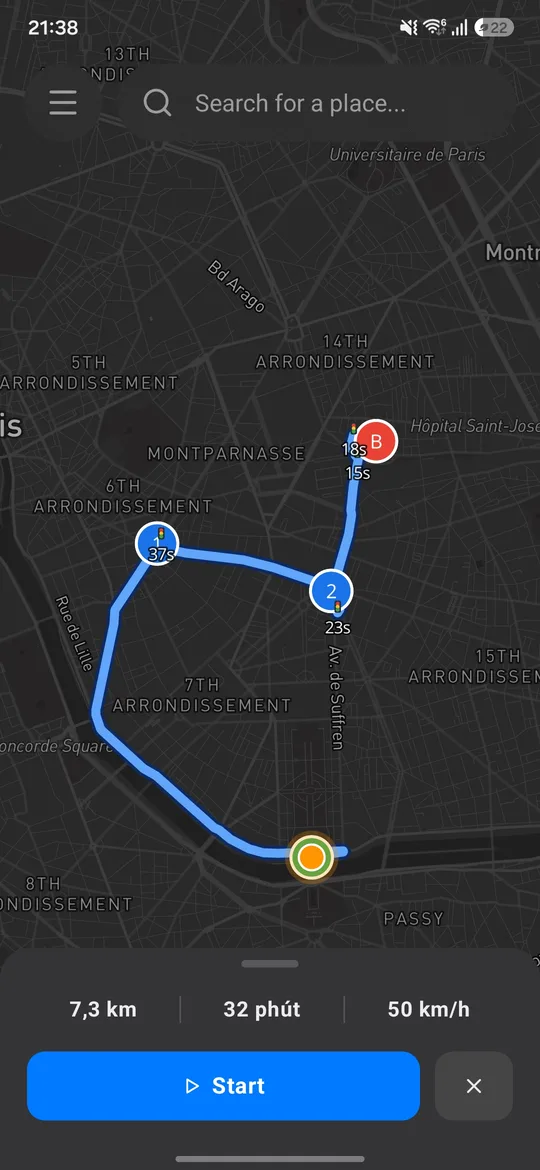

Guide
Install in 5 steps
The app is an Xposed module — root + Zygisk + LSPosed are required to spoof at the system level.
- 1
Root your device
Root with Magisk or KernelSU.
- 4
Install APK & enable the module
Install Fake GPS Pro → open LSPosed → enable the module → tick the target apps' scope → reboot so the hooks load.
- 5
Grant permissions & spoof
Open the app, grant location/notifications/battery-optimization exemption → pick a point on the map → Spoof.
Update not taking effect? Uninstall the old version → clean install → reboot. Always remove the old module before installing a new one.
Download
Download APK v6.0.1
Straight from the official GitHub mwarevn/fake-gps — no middleman.
New version v6.0.1 available — download buttons updated.
Not sure about your device? Get universal. SHA-256 + changelog: release page. releases/latest
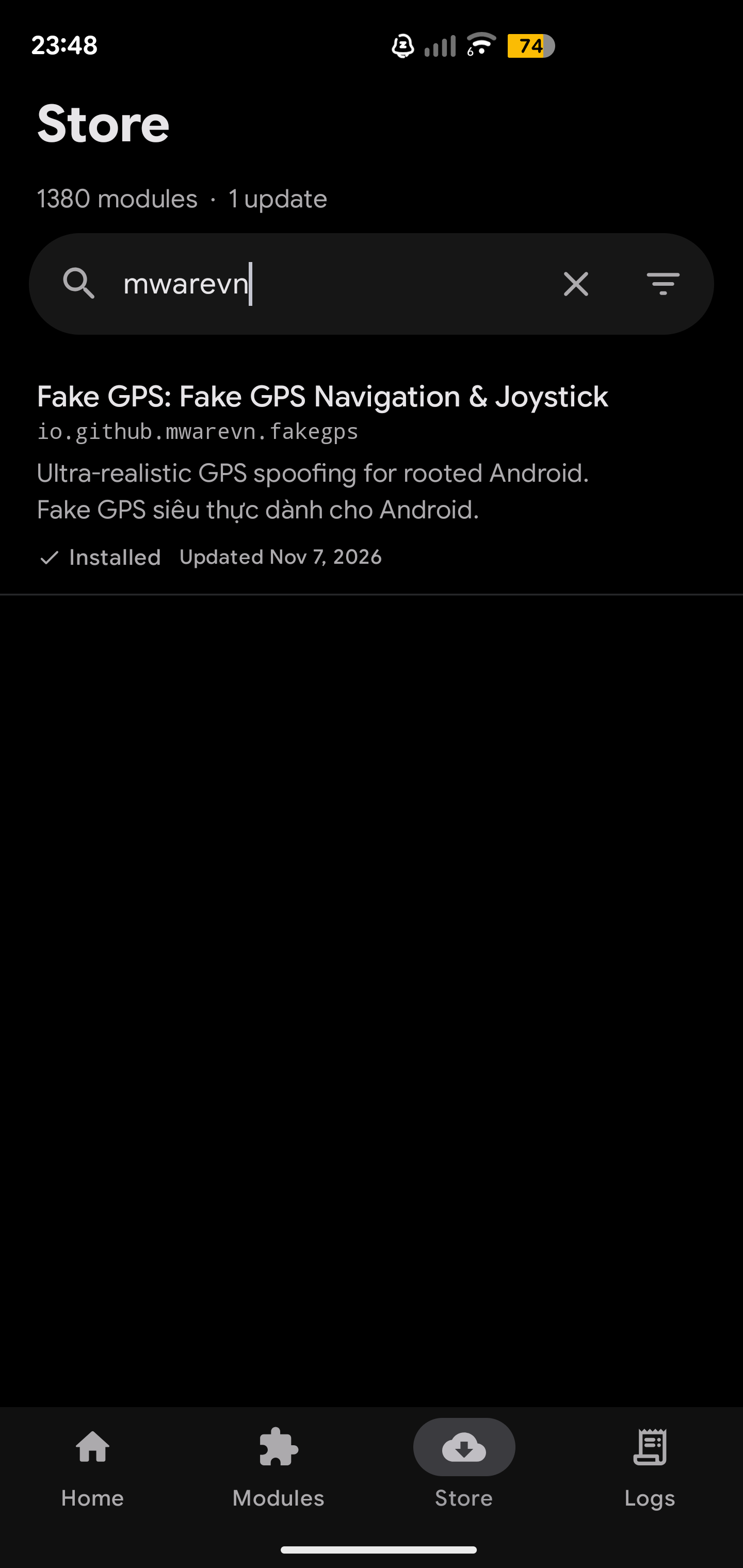
Install via the LSPosed module repo (Vector)
Open the Vector app → module repository → search for “mwarevn” → pick the module named after the app (Fake GPS Pro). Xposed-Modules-Repo
The module page in the repo lets you download the latest APK right inside the app — no GitHub visit needed.
FAQ
Frequently asked questions
Is root required?
Yes. The app is an Xposed module and needs Magisk/KernelSU + Zygisk + LSPosed. No root, no spoofing — a deliberate design to spoof at the system level, harder to detect than ordinary mock location.
Is it free?
Completely free — no ads, no paid features. Donations are voluntary.
Which Android devices are supported?
Android 7.0+ (API 24), every ABI — pick the APK for your device or universal.
Can other apps detect it?
The app fakes sensors, Wi-Fi/cell/BT, SIM, timezone… so fused location can't derive your real position. No 100% guarantee for every app — some apps/games have their own policies; use responsibly.
How do updates work?
The app checks GitHub releases itself, downloads the right-ABI APK, verifies SHA-256 + signature before installing. Or download manually from this page. Update not taking effect: clean install + reboot.
What are legitimate uses?
Location-based app testing, privacy protection, movement simulation for developers. You are responsible for use with third-party apps/games.